
When a known-good lead restores the link, compare your suspect lead with the free cable fault library before interpreting a basic continuity reading.
1. Confirm the Ethernet adapter has no link
Check the wired adapter's status on the device, even if Wi-Fi is still online. On Windows, look under Settings → Network & internet → Ethernet. On Mac, look under System Settings → Network → Ethernet; a USB adapter may appear under its own name. A link indicator can help, but some equipment has no visible LED or uses lights for other purposes. If the adapter is missing entirely, check the dock power, its USB connection and the maker's instructions before testing the cable.
If Ethernet shows a stable link but websites fail with Wi-Fi off, go to the connected-but-no-internet checks. A live link and an internet connection are different checks.
2. Bypass the wall socket, switch or dock one at a time
- Use a LAN port on the router or a known working switch port on your network. Leave the broadband/WAN socket alone. At work, use a port approved for this device; don't interrupt a live uplink or another user's equipment.
- With the same device, adapter and port, swap in a short lead that has already shown a link on another device. Check the wired status again. A cable being new is not proof it works.
- If there is still no link, try a second compatible port with that lead. If you can, try a second device on the same verified lead and port. Use a built-in Ethernet socket or a supported alternative adapter if the first device uses a dock.
- Once the direct link works, restore one part of the original path at a time, checking the link each time. A wall socket needs a connected far end at the patch panel or switch; the socket alone does not provide a link.
3. Use the result to decide what to do
- Only one patch lead fails: repeat the swap on the same ports. Replace that lead if the fault follows it.
- The direct link works; the installed path fails: check the short leads at both ends and confirm the far end is patched to the intended switch. Ask whoever maintains the installation to check the jacks before replacing a concealed run.
- Another device links on the same lead and port: focus on the first device's adapter, dock or settings. Confirm the exact model before spending.
- Neither device links on ports believed to work: check that the ports are actually on, permitted and known working. A managed port can be disabled. Pass the comparison to the administrator instead of resetting shared equipment.
Example: an office wall socket is dark
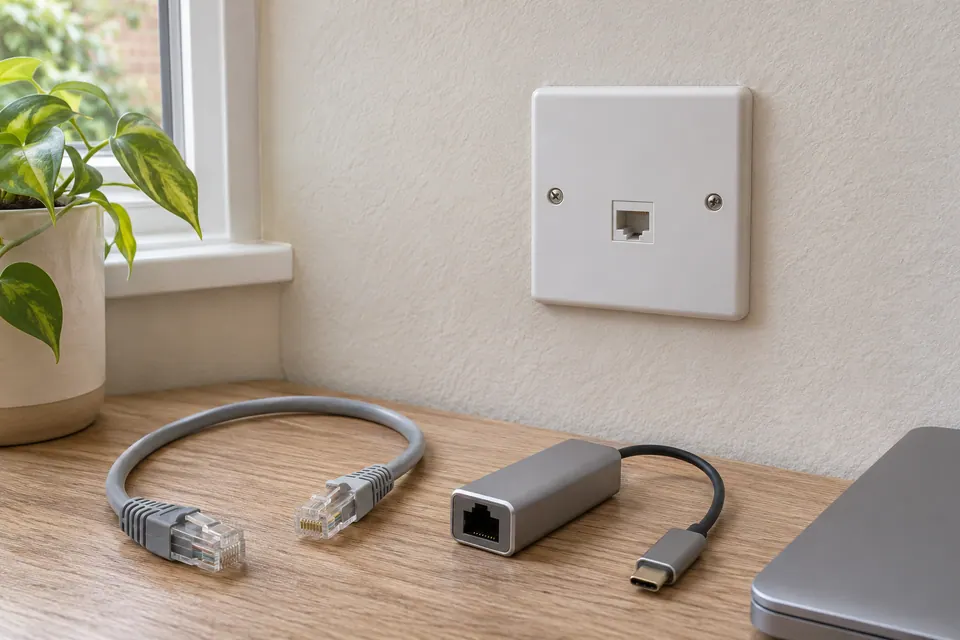
Illustrative comparison: the same laptop and USB adapter show a link with a short lead directly to a confirmed LAN port. Both end patch leads also work in that direct check, but there is no link through the wall socket. Check that its matching patch-panel port is connected at the far end. If the patching is correct, the installed path is the next investigation; this comparison does not identify a failed jack or prove where a cable is damaged.


4. Retest the symptom before paying for a tool
Record the port, adapter and lead that gave a stable link. Reconnect the intended path and repeat the original check. Only then run a wired speed test or check why the link is stuck at 100 Mb/s if it is slow.
Most patch leads can be checked by substitution. If your next task is checking basic wiring on an installed run, disconnect both ends from network equipment and follow the instrument's connection limits. The free cable tester selector can explain which kind of check fits. A wiremap pass cannot prove gigabit performance or tell you why a switch port is disabled.
Questions before you change anything
Why does Windows say network cable unplugged when it is connected?
Check link LEDs, adapter state, connector seating and the powered far-end port. The message concerns the physical link; it is not a DNS diagnosis.
How do I tell whether the cable or port is broken?
Compare a known-good patch lead, permitted alternate port, second endpoint and direct connection. Change one segment at a time before opening the wall socket or buying a router.
Could the USB dock be causing the unplugged message?
Check dock power, USB connection, driver status and sleep recovery. Bypass the dock where possible; reseating an RJ45 plug cannot repair an upstream USB disconnection.
Should I force the Ethernet speed to recover the link?
Use the documented auto-negotiation setting. Inspect pair continuity, contact damage and port capability. Forcing a speed can obscure a physical fault and is not a substitute for isolating the path.
When does a cable tester become useful?
After simple substitution, use a suitable tester for wiremap, open pair, remote identification or fault-distance estimate. Observe powered-port restrictions; a basic tester should not be connected to an active network without explicit support.
Questions and source links reviewed 21 November 2026. The answers apply the limits described in this guide; they are not a test of your equipment.
Sources and scope
- Microsoft Support: Ethernet cable, LAN port and second-device checks
- Apple Support UK: Ethernet network settings
- The FOA: what a wiremap can identify
References checked 19 November 2026. The example describes a controlled comparison, not a field measurement. Use only ports and equipment you have permission to work on. Our evidence policy.
Reader questions that informed this update: Reddit: reader discussion. Individual reports help identify questions; answers above use the technical references in this guide.
Details worth checking
Why does “network cable unplugged” appear only occasionally?
For an intermittent no-link event, record the time and whether it follows sleep, dock reconnection or ordinary stationary use. Compare a known-good short lead and one alternate supported port. A brief continuity pass between events cannot exclude a contact or power issue that was absent during the test.
Explain your own result
Replace the brackets with observations you actually made. Leave unknowns as “not checked”. This draft is written for this guide; it is not a quotation or an automatic diagnosis.
Copying stays on your device. Remove passwords, account numbers and private network details before sharing.
Reader questions that informed this update: Reddit: reader discussion. Individual reports help identify questions; answers above use the technical references in this guide.
If a physical cable question remains
Use the free capability selector to distinguish tracing, wiremap, qualification and loaded PoE tests. The equipment guide keeps model comparisons together.
Commercial links are identified on the equipment pages. A purchase does not establish the cause of this fault.