
Use the free internet speed test at the router and in the room you are trying to cover. Keep the device and the task the same before comparing equipment options.
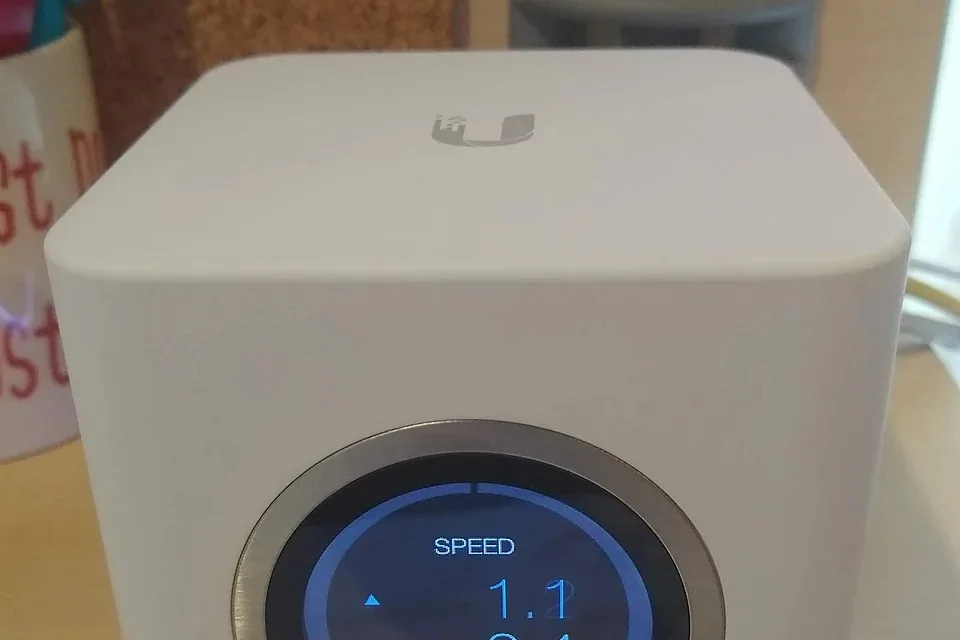

Before comparing mesh vs extender, find where the working connection stops. Test the same device beside the router and at the desk; if possible, compare a temporary cable to the main router. If the task fails beside the router as well, use the troubleshooting hub before shopping for coverage.
A listing that says Wi-Fi booster still needs to say what the device does: extender, compatible mesh node or access point. Check how it reaches the router before comparing the advertised coverage.
Choose for the job, not the headline number
| Option | A good job for it | Check before buying |
|---|---|---|
| Ethernet to the desk | One fixed computer or dock that improves on a wired comparison. | Safe permanent route, both port speeds and a supported adapter. |
| Wired access point | Several wireless devices upstairs where a cable can reach a sensible AP location. | Uplink, power or compatible PoE, placement and operating mode. |
| Wireless mesh | Several rooms with workable intermediate radio links and limited wiring options. | Backhaul, compatible nodes, router integration and node placement. |
| Wi-Fi extender | A defined area where one extra wireless hop can be tested. | Usable upstream signal, bands, roaming behaviour and exact compatibility. |
| Powerline adapters | A trial between suitable sockets when another route is impractical. | Manufacturer socket advice, actual electrical path and normal appliance use. |
For a fixed desk, a whole-home kit may be overkill. For several phones and laptops upstairs, a desk cable alone may not finish the job. Include adapters, mounting, power and installation in the comparison, not just the price of the box.
The Ethernet socket on a satellite can be misleading
This path still uses wireless backhaul:
Laptop → Ethernet → satellite → Wi-Fi → main router
This supported arrangement uses wired backhaul:
Laptop → satellite → Ethernet → main router
When a seller or forum reply says the desk is hardwired, ask which of those paths it means. The Ethernet socket on the nearest box does not answer the upstream question.
Plugging a console into the first arrangement does not remove the satellite's radio link. That is the important detail in a HomeNetworking gaming question about wiring equipment to a mesh satellite. The post names a US provider; its plan is not evidence of British broadband performance.
Check the exact model. Google's Ethernet guidance distinguishes supported wired arrangements from Nest Wifi points with no Ethernet port. A family name or matching logo is not enough to establish ports or generation compatibility.
A three-bed house does not specify node count
Draw the router, thick walls, stairs, work desk and permitted node positions. For a three-bed house with brick walls, the path to an attic room may matter more than floor area. The AskUK terrace question provides that kind of layout detail, rather than a tested shopping recommendation.
Start a wireless node where it can still reach the main network, then test service at the desk. Google's placement advice describes this for its systems. More nodes do not rescue a route made of weak upstream links. The upstairs guide gives a simple three-position test.
Powerline is a socket trial, not plug and pray
For powerline vs mesh, compare the actual transport: electrical wiring versus a radio link, unless the mesh uses Ethernet backhaul. Powerline results can change with socket choice and electrical noise.
TP-Link recommends suitable direct wall sockets and discusses filtering and noise. Its powerline FAQ gives qualified guidance about electrical paths. Do not reduce that to “different circuits always fail” or “every socket works”.
Where seller terms allow a trial, use the two intended sockets during a normal work period with usual appliances running. Check a call and file transfer, then repeat at the time problems normally occur. AV-class marketing is not a promise of that application speed. Do not modify fixed wiring or bypass protective devices to improve a network test.
Keep the ISP router's job clear
Check whether the new system should route or use access point mode behind the ISP router. Running two routing layers can create double NAT. That can matter to inbound connections, some games or remote access; it is not a general diagnosis for every slow website.
Ask about the exact model, firmware and required features in that mode. Before replacing the ISP router, check any associated voice or TV service. Keep the old configuration so it can be restored during comparison.
A Jio-context X thread describes an extender compatibility and returns dispute. It is one buyer's account. Use it as a reminder to get exact-model compatibility and the current seller's support and return terms in writing, not as a UK returns-policy claim.
Before you click buy
- Draw the whole route. Include the client, node, upstream connection and router.
- Check every limiting port. A 100 Mbps interface on the path still limits traffic crossing it after a mesh upgrade.
- Price the complete installation. Include cable, a USB adapter, compatible power, mounting and labour where needed.
- Choose the acceptance test. For home office Wi-Fi, include the call, camera and screen share you actually need.
- Keep the receipt and old layout. A comparison needs a way back, and a trial depends on the actual seller's terms.
A garden office needs its own route and environmental plan. Do not assume an indoor satellite through several external walls is a fit just because its box says whole-home coverage. For rented property, agree permanent work before drilling or installing cable.
When reusing wall cabling, start with identifying the endpoints and the cabling guide. Use the 100 Mbps checks for an unexpectedly slow link. A tester is useful for a supported wiring job; it does not choose mesh placement or certify the final call.
Keep your comparison record
Record restored, still failing or unable to test, then repeat the original task.
Download a blank record ↓Choose another symptom →Buying Wi-Fi equipment: compatibility and value
Mesh vs extender: where should I start?
Test the problem task beside the router and at the desk. Then compare the upstream link each product would use. A category name does not tell you whether it can reach that room reliably.
How do mesh systems differ from extenders?
Management, roaming, radios and backhaul arrangements vary by model. Compare the actual supported topology and features rather than assuming every mesh kit outperforms every extender.
Powerline vs mesh for a home office: which wins?
Trial the same work task at the actual desk. Powerline uses the electrical path; wireless mesh uses radio between nodes. Installation conditions decide whether either route is useful.
The desk works beside the router. Is my broadband cleared?
It works for that task at that time. The next useful coverage test is the desk and an intermediate position, plus a suitable wired comparison where possible.
Which kit suits a three-bed house with brick walls?
Sketch the floors, router, desk and usable node positions first. Bedroom count alone does not specify node count or the links needed to reach an attic room.
Can I put a mesh node in the dead zone?
A wireless node needs a usable link upstream. Try an intermediate point before the dead zone and check the system's link assessment, then test the target room.
When is a wired access point a better fit?
When several wireless devices need coverage and a suitable cable can reach a useful AP position. Check power or compatible PoE and uplink capability as part of the installation.
Is wired backhaul the same as plugging my PC into a node?
No. Wired backhaul connects network units upstream by cable. The PC's short Ethernet lead may end at a satellite that still uses Wi-Fi to reach the router.
Will a console cable to a satellite remove lag?
It removes that console's wireless hop only. Check the satellite's backhaul and test the actual game or call before assuming the full route is wired.
Can I keep the ISP router?
Often a supported arrangement exists, but check exact models and operation. Confirm whether the added system should use access point mode and what features remain available.
Will double NAT slow every website?
It can complicate some inbound, gaming or remote-access tasks. It is not a universal cause of slow pages. Identify the failed application before changing routing roles.
When should I use access point mode?
When the documented design keeps routing on the existing router and uses the new equipment for access. Check that model's supported features in the mode before buying.
Can powerline adapters use an extension lead?
Follow the exact manufacturer's advice; filtering or a strip can affect performance. Trial the recommended wall-socket arrangement before judging the route.
Will powerline cross different circuits?
It depends on the installation and kit. The vendor guidance has qualifications, so trial the intended sockets instead of assuming universal success or failure. Do not alter fixed wiring for the test.
Will Cat6 make upstairs Wi-Fi faster?
A suitable cable can feed a desk or access point. Buying the category label alone does not move the wireless coverage; the installed route and equipment do the work.
What can I try before spending anything?
Move a permitted router or node into a better position and repeat the task. A known-good temporary cable you already have can also show whether a wired route is worth pricing.
Is whole-home mesh overkill for one desk?
It can be. If that fixed device works on a suitable cable and you have a practical permanent route, compare the full cable-and-adapter cost before buying coverage for rooms that already work.
What can I do in a rented home without drilling?
Compare permitted node positions, existing usable data outlets and reversible safe cable routes. Agree permanent installation work with the responsible person first.
Can an indoor mesh node reach a garden office?
Maybe, but distance, construction, environment and the complete upstream route need checking. Treat a separate building as its own design rather than a box-coverage claim.
Will mesh fix every WFH call?
Only a relevant local wireless problem is on that branch. Calls can also fail because of uploads, device load or the meeting service. Repeat the real work task after installation.
Are AV or mesh speed labels my delivered speed?
No. The advertised class or link rate is not a guaranteed file-transfer or application rate at your desk. Check the actual client, ports, topology and workload.
Why is powerline not just plug and pray?
Pairing is only the start. Test the intended sockets with normal appliances running and repeat at work times. Keep a supported way to return or change the arrangement.
Can a 100 Mbps port bottleneck new mesh?
Yes, for traffic crossing that segment. Check the router, nodes, switches, adapters and negotiated rates along the actual route.
Do I need a tester to choose a Wi-Fi kit?
Not for the initial coverage comparison. Use an appropriate tester when you have a specific cable-identification or wiring question, within its connection-state limits.
What belongs in the total cost?
Equipment, cables, adapters, power or PoE, mounting, installation and any recurring charges. Check current terms with the seller; historical community prices are not a present quote.
How do I check the new kit was worth it?
Repeat the original task at the same desk and other important rooms under the normal workload. Check interruptions and usability, then compare with the old arrangement if the result is unclear.
Questions before you change anything
Should I buy mesh, an extender, powerline or Ethernet?
First locate the failing hop: provider connection, router coverage, room-to-room path or device limitation. Choose the connection method from that evidence; none is a universal improvement over the others.
When is mesh Wi-Fi a sensible choice?
Test a viable node location, wireless backhaul, client roaming and system compatibility. A node in the dead zone may repeat the same weak upstream connection rather than fix it.
Why is powerline slower than the speed printed on the box?
The label is not an end-to-end application rate. Electrical wiring, outlet position, noise sources and adapter generation affect results. Trial the intended sockets within the seller’s return terms.
Is running Ethernet worth the disruption?
Compare installation route, required reliability, access-point placement and landlord permission. A temporary safe lead can establish the likely benefit before committing to permanent work.
How can I avoid spending money on the wrong Wi-Fi kit?
Write down target rooms, simultaneous users, failing applications and before-and-after criteria. A purchase should address a demonstrated bottleneck and come with a practical retest, not just a larger advertised number.
Questions and source links reviewed 21 November 2026. The answers apply the limits described in this guide; they are not a test of your equipment.
Sources and scope
- Google Nest — Wi-Fi device placement
- NetSpot — Wi-Fi troubleshooting approach
- AskUK — three-bedroom brick terrace planning question
- HomeNetworking — mesh satellite and gaming question
- X — reported extender compatibility dispute
- Google — supported Ethernet connections and model differences
- TP-Link — powerline speed, wall sockets, filtering and noise
- TP-Link — powerline electrical-path qualifications
Photographs illustrate the context. Credits and the licence for each image appear in its caption. Our evidence policy · Commercial disclosure
Reader questions that informed this update: Reddit: reader discussion. Individual reports help identify questions; answers above use the technical references in this guide.
Details worth checking
Will buying Wi-Fi 7 fix an older router or a weak backhaul?
A newer radio standard is only one part of the path. Wi-Fi 6 or Wi-Fi 7 features need compatible clients and a suitable uplink; neither repairs a weak node-to-router connection. Check whether the kit should use router mode or access-point mode with your existing gateway. Follow its documented topology and avoid creating a second router layer by accident.
Explain your own result
Replace the brackets with observations you actually made. Leave unknowns as “not checked”. This draft is written for this guide; it is not a quotation or an automatic diagnosis.
Copying stays on your device. Remove passwords, account numbers and private network details before sharing.
Reader questions that informed this update: Reddit: reader discussion. Individual reports help identify questions; answers above use the technical references in this guide.
If a physical cable question remains
Use the free capability selector to distinguish tracing, wiremap, qualification and loaded PoE tests. The equipment guide keeps model comparisons together.
Commercial links are identified on the equipment pages. A purchase does not establish the cause of this fault.