
Use the free internet speed test at the desk where calls freeze. Save the upload and latency readings alongside the time of the next interrupted call.
Good Mbps, bad calls is a familiar WFH complaint. A meeting needs timely traffic in both directions. A speed test to another server cannot tell you whether your microphone, video processing, Wi-Fi path or meeting service is the part struggling.
Ask what the other person sees
| Symptom | Check first | Why it helps |
|---|---|---|
| They hear your robot voice; you hear them clearly. | Your sending audio statistics and active uploads. | The trouble may be in the outgoing direction. |
| One person's video freezes for everyone. | That participant's setup and connection. | The viewers may all be receiving the same bad feed. |
| Your local camera preview stutters too. | Camera, effects, CPU and dock. | Check local processing before blaming the broadband. |
| The screen share freezes while speech stays clear. | A simple static document versus the original shared content. | Sharing video or animation has a different workload. |
For a test meeting, read a sentence aloud, turn the camera on and share a simple document. Ask the other participant which parts break. Keep that sequence for each comparison instead of asking only whether the meeting was “better”.
Look at the meeting app during the fault
In the Zoom desktop app, open Settings → Statistics during the test meeting. Inspect sending and receiving audio/video as well as overall CPU use. Zoom's statistics guide explains the available latency, jitter and packet-loss information.
In Teams, look for Call health in the meeting's More/Settings controls if your client exposes it. If it is unavailable, keep the meeting time and ask the administrator to inspect the call. Microsoft's network guidance explains why bandwidth, media quality and network configuration need separate attention.
Take a note of the direction and the time of the spike, not just a screenshot after recovery. Keep meeting IDs and participant details out of a public post. WireTrace measures HTTP traffic to Cloudflare; its readings are separate from the call's media statistics, and it does not measure packet loss.
Find out whether an upload hog is involved
Pause a cloud backup, photo sync or file upload you control and repeat the speech/video/share sequence. Check that the job was actually sending data before pausing it. On Windows, Task Manager's network activity can help identify busy apps; on a Mac, inspect Activity Monitor's Network view.
If calls recover when the transfer stops and worsen when it restarts, try scheduling or limiting that job. Check the upload slowdown guide before changing router queue settings. A bandwidth upgrade may be worth pricing later, but a scheduled backup may already solve the workday problem.
Do this outside a client meeting. A full download/upload test creates the very competing load you are trying to understand.
Same laptop, different network
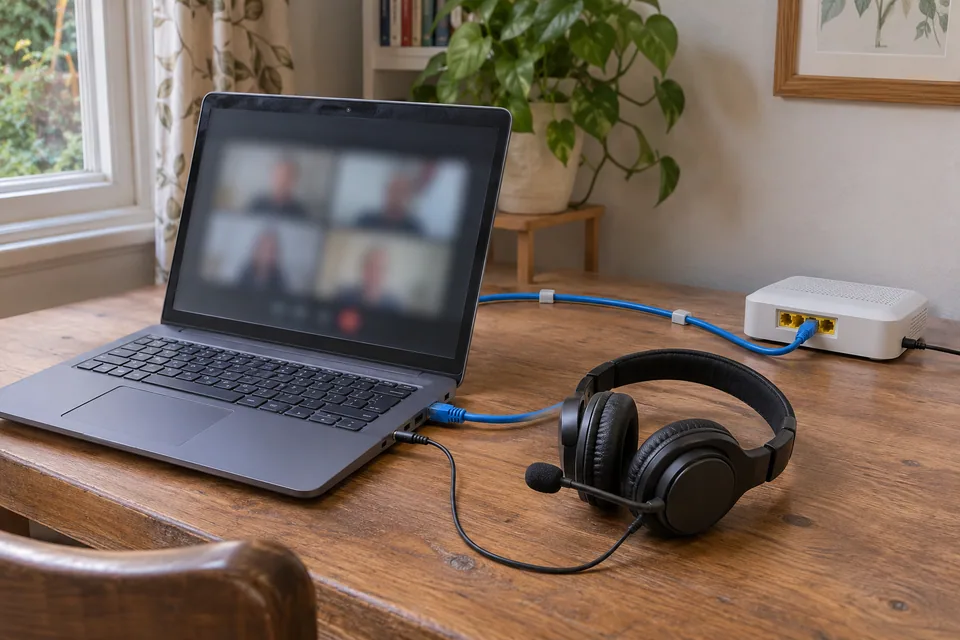
First compare Ethernet to the main router with Wi-Fi temporarily off. If Ethernet repeatedly restores the call, work through the room and placement checks. A cable to a wireless satellite has not made the entire route hardwired: the satellite's backhaul still matters.
If the wired call is also poor, a trusted phone hotspot offers another comparison on that same laptop. Keep the same app and test participant, and account for mobile data use. “Calls work on my phone” changes the device and possibly the network at once; it is helpful, but leaves more differences to investigate.
When camera off helps
Disable background effects, close a demanding application and check CPU while repeating the call. Test a simple document instead of a moving desktop or high-resolution video. If the local camera preview stutters outside the meeting as well, check the camera and dock path.
Turning video off reduces both processing and traffic. Use the next comparison to separate them: a less busy laptop on the same connection, or the same laptop on another connection. Potato-quality video can be the app adapting to available resources; the label alone does not tell you which resource is short.
If Teams keeps dropping only after a required work VPN connects, send that timing to IT. They can inspect the supported routing and policy. Keep the VPN state in each comparison instead of treating two different work configurations as the same call.
Spend on the part that failed
A successful wired comparison supports pricing a desk cable or coverage work. A repeatable upload relationship supports scheduling, limits or supported queue management. A camera fault that follows one dock supports checking that dock. A bigger download package is not the default purchase for all three.
If a wired link is unexpectedly slow, the 100 Mbps guide covers ports, adapters and wiring. A basic cable tester does not diagnose the meeting itself.
When an office has no IT owner, this is a reasonable point to ask for managed support. Send the app/version, meeting time, broken media direction, statistics at the fault, VPN state and results of the quiet, wired and hotspot calls. Then test the feature that originally failed during normal work; a speed test flex is not a completed meeting.
Keep your comparison record
Record restored, still failing or unable to test, then repeat the original task.
Download a blank record ↓Choose another symptom →Teams and Zoom: the questions behind a bad call
Why do I get good Mbps, bad calls?
A throughput test and a meeting use different paths and workloads. Start with the call's broken direction, then compare your own uploads paused and the same laptop over Ethernet.
How do I tell whether my microphone is cutting out?
Ask whether the other participant hears gaps while you still hear them normally. Compare a local voice recording and the app's sending audio statistics; this separates microphone behaviour from some network possibilities.
Should I run a speed test during a choppy call?
Save it for a separate test. Full transfer tests create competing traffic and can make an important call worse. Use the meeting app's own information during the fault.
Where are Zoom's meeting statistics?
In the desktop app, open Settings and look for Statistics during a meeting. Inspect the relevant Audio, Video or Screen Sharing tab as well as Overall resource use; availability can differ by client.
Can someone inspect a previous Teams call?
A Teams administrator may have call diagnostics for the meeting and user. Give them the time, time zone and affected media direction so they can locate the right event.
Does WireTrace measure my call's packet loss?
No. This configuration does not measure packet loss. If the meeting app reports it, keep that result with the app name, time and send/receive direction.
Is browser jitter the same as meeting jitter?
No. HTTP timing and media timing are different observations. Use the meeting statistics when investigating audio gaps or video freezes.
How much speed does a call need?
It depends on the app, media, layout and participants. Use current app guidance for the actual workload, then check interruptions and media statistics instead of picking one download threshold for every meeting.
Why do other people hear my robot voice?
Check your outgoing audio, microphone and active uploads first. A working incoming stream does not clear the outgoing path. A local voice recording provides another useful comparison.
Why does a backup make audio cut out?
The upload can compete with interactive traffic or coincide with heavy device work. Pause that job, repeat the call and reintroduce it in a test window to see whether the relationship repeats.
Do lag spikes prove bufferbloat?
Not by themselves. Compare the same workload with the transfer paused, then over Ethernet. Keep the app's timing separate from a browser test before deciding where queue management might help.
Why is the call fine beside the router?
A location-dependent wireless path is worth investigating. Repeat from the desk and over a suitable cable to the main router, keeping the laptop and call similar.
Am I hardwired if my cable goes into a mesh node?
Only as far as that node. If the node uses wireless backhaul, the call still crosses a radio link. Ethernet backhaul is a separate supported connection between network units.
Ethernet fixes it. Should I buy faster broadband?
Investigate the local wireless route first. Placement, a suitable access point or a wired desk connection is a more relevant purchase when the same broadband already carries the wired call.
Why does camera off help?
It reduces processing and network traffic. Next try removing video effects and checking CPU, or compare the same call over another connection to find which reduction mattered.
Could a USB camera or dock cause choppy meetings?
Yes. Check whether the local preview stutters and compare a supported camera or port. Working Ethernet or charging on a dock does not test every other dock function.
Why does only the screen share freeze?
Compare sharing a static document with the moving or high-resolution content. Check CPU and the app's sharing statistics while the failure happens.
Should I change DNS to stop an established call freezing?
It is a poor first step when the meeting is connected and media is breaking up. Check the media statistics, workload and connection comparisons first.
Why does Teams keep dropping on the work VPN?
Record the before/after-VPN difference and send it to IT. Required routing and policy need an administrator's comparison rather than a guessed home-network fix.
Should I switch off security tools to test a call?
Follow the administrator's supported troubleshooting process on a work device. Give them the app error and comparisons so they can check policy without removing required protection.
Can a hotspot rescue a WFH meeting?
It can provide a temporary alternative if it works and your work policy permits it. Check data use and keep the same laptop for a useful connection comparison.
The service status page is clear. What now?
Keep checking the affected participant, device, account and route. A clear status page does not inspect your meeting; send support the specific time and media symptom.
When should I replace the router?
After repeatable comparisons point to a capability or fault it owns, and after checking supported settings or firmware. A single bad call is not a purchasing test.
Will more download speed help an upload hog?
Not necessarily. Compare the upstream service and transfer behaviour. Scheduling or limiting that upload may help without changing the download package.
Is potato-quality video a Wi-Fi diagnosis?
No. The app may reduce video because of network conditions or device resources. Check CPU and media statistics, then compare a suitable wired path.
How long should I test a change?
Long enough to repeat the trigger: speaking, camera use, screen sharing and the upload or location that used to cause failure. Repeat during a normal work period for an intermittent problem.
What if I cannot try Ethernet?
Mark it as not tested. A same-laptop hotspot or location comparison can still help; do not present a missing wired check as a successful one.
What should I send support when Zoom freezes again?
Send the time, app/version, who heard or saw the failure, media statistics and quiet/wired/hotspot results. Keep private meeting links and participant data out of public screenshots.
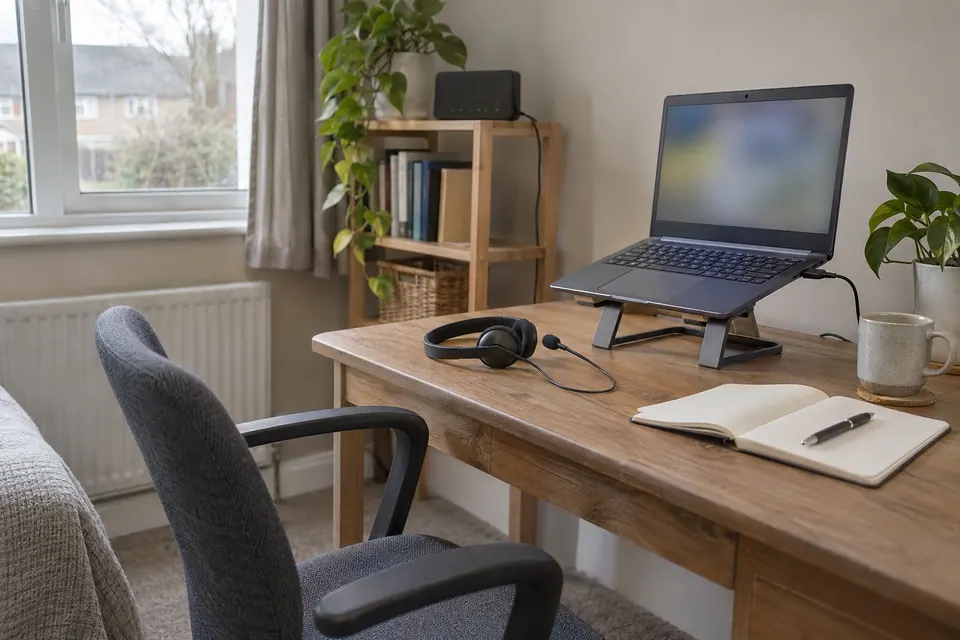
Questions before you change anything
Why do Teams or Zoom calls freeze when download speed is good?
Check latency, jitter, packet loss and upload contention. A short download test does not show all the delivery conditions needed for an interactive call.
How do I tell a Wi-Fi problem from an application problem?
Compare a permitted wired call, near-router call, second device and the application’s call-health statistics. Keep the meeting type and workload similar; one good speed result is not the comparison.
Could cloud backup make a meeting unusable?
Pause one background upload with permission, repeat the task, then reintroduce it. Record loaded latency, upstream use and call quality. Improvement during that comparison points to contention rather than proving the provider is slow.
Why does only the work laptop freeze?
Check VPN routing, CPU load, camera effects and audio-device errors. An application freeze or overloaded computer can look like a network failure while other traffic continues normally.
Should I buy faster broadband for better calls?
First compare simultaneous demand, available upload, local radio path and router queue management. Extra capacity can help genuine congestion; it does not repair a failing microphone, weak room link or managed VPN issue.
Questions and source links reviewed 21 November 2026. The answers apply the limits described in this guide; they are not a test of your equipment.
Sources and scope
- Microsoft Learn: Prepare your organisation’s network for Teams; page updated 28 October 2026
- Zoom: Accessing meeting and phone statistics; page updated 3 November 2026
- Cloudflare Speedtest engine: measurements and HTTP timing semantics
- WireTrace live tool and method limitations, checked 17 November 2026
- AskUK user discussion, 16 July 2024; UK-community context; reviewed 16 November 2026; self-reported scenario, not verified service performance
- uhoh — managed IT support and handover example
Photographs illustrate the context. Credits and the licence for each image appear in its caption. Our evidence policy · Commercial disclosure

Reader questions that informed this update: Reddit: reader discussion. Individual reports help identify questions; answers above use the technical references in this guide.
Details worth checking
What if the call stutters only through my Bluetooth headset?
Compare one call using the laptop’s supported wired or built-in audio while leaving the connection and meeting app unchanged. Note whether only audio changes or video and screen sharing also fail. A headset, driver or local audio issue needs a different support route from an upload or packet-loss problem.
Explain your own result
Replace the brackets with observations you actually made. Leave unknowns as “not checked”. This draft is written for this guide; it is not a quotation or an automatic diagnosis.
Copying stays on your device. Remove passwords, account numbers and private network details before sharing.
Reader questions that informed this update: Reddit: reader discussion. Individual reports help identify questions; answers above use the technical references in this guide.